AI frame interpolation
Any video. Silky slow motion.
Ordinary slow-mo repeats frames and stutters. slomo uses AI to create the frames in between, so any 30 or 60fps clip slows down smoothly, up to 16x.
No account needed for your first clip · then 20 free credits every month
The same movement, slowed 8x two ways
30fps stretched 8x: each frame shown 8 times
7 new frames between every real frame
- Shot by your camera
- 18 frames
- After slomo
- 137 frames
- Plays for
- 4.8s
How it works
- Step 1
Upload a clip
Drop in an MP4 or MOV from your phone or camera. Trim it to the part you want.
- Step 2
Choose how slow
2x, 4x, 8x or 16x slower, for the whole clip or just one moment. slomo creates the frames in between.
- Step 3
Download it
A smooth MP4, with sound if you want it, ready to post or edit.
What slomo does
Everything in this list works today.
AI frame interpolation
Generates the frames in between, so motion stays smooth at 2x, 4x, 8x or 16x slower.
Trim before you slow down
Upload a longer video and pick the exact moment to slow down, right in the browser.
Speed ramps
Ease from normal speed into slow motion and back out, like a pro edit.
Keep your audio
Keep the original sound, slowed to match at its normal pitch. With a speed ramp, the rest sounds as recorded.
Share links
Send a link to your slow-mo clip instead of a file.
Beyond your phone's slo-mo
Upload 120 and 240fps slo-mo clips and go slower still. Real frames are used first, so it stays sharp.
Made for phone footage
Handles the uneven frame timing and repeated frames phones record, so motion doesn't stutter.
Scene-cut aware
Spots hard cuts and holds the frame instead of morphing one shot into the next.
Fast GPU processing
Most clips are ready in about a minute.
Up to 4K output
720p on the free plan, 1080p on Pro and 4K on Studio.
Nothing to install
Upload MP4, MOV or WebM straight from your phone or computer browser.
Ready to post
Download a standard MP4 for Reels, TikTok, YouTube or your editor.
Developer API
Make clips from your own app or workflow, with webhooks when they're ready. On the Studio plan.
Pay as you go
Don't want a subscription? Buy credits once and use them whenever. They don't expire.
Private by default
Your clips are deleted automatically after 1 to 30 days, depending on your plan.
Pay for what you use
Credits are based on the frames actually produced, and refunded in full if a clip fails.
Try it without an account
Make your first clip before you sign up. It moves into your account when you join.
Uploads that resume
Large clips upload in pieces. If your connection drops, the upload carries on from where it got to, even after you close the page.
Then measure what you slowed down
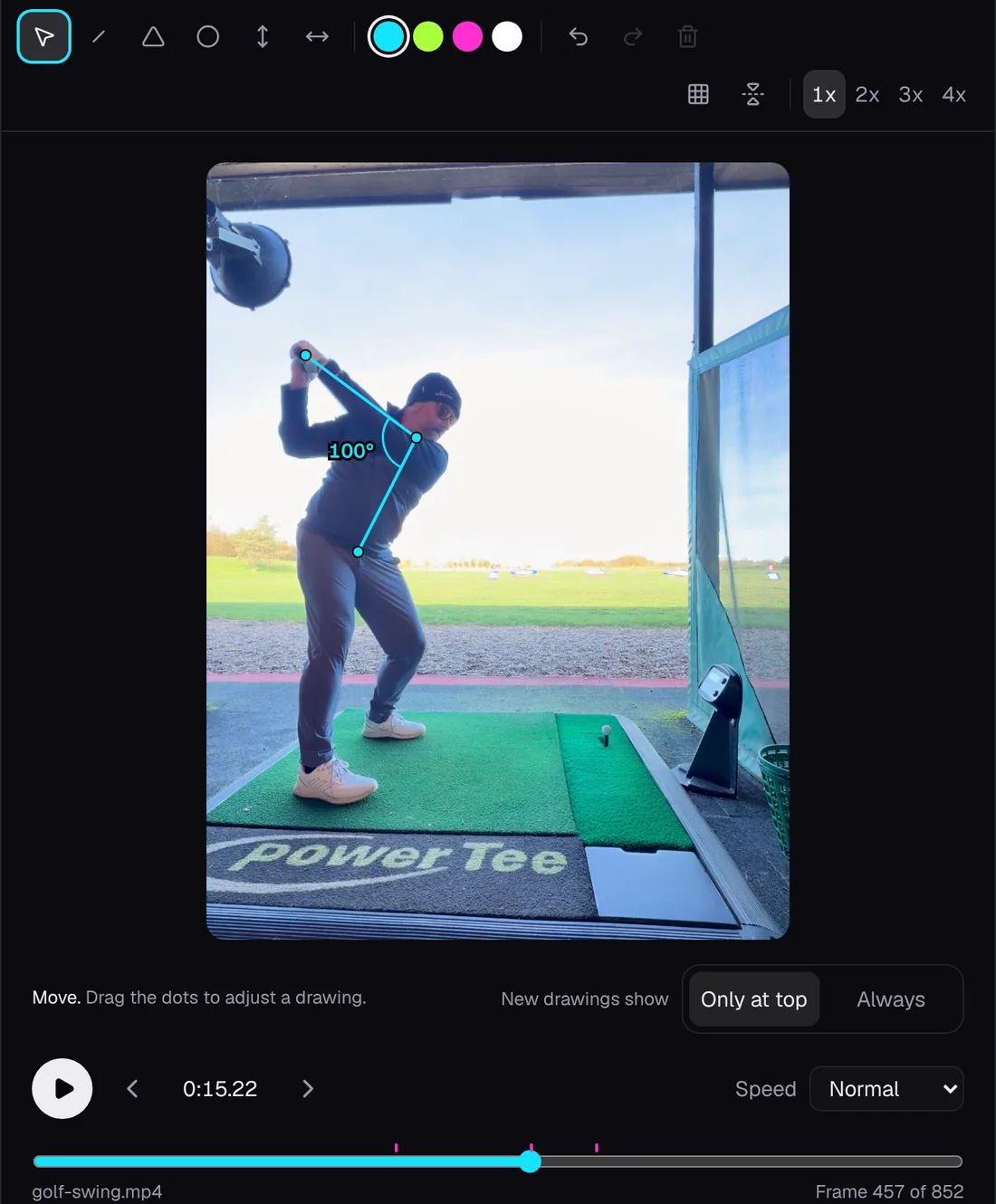
Slow motion shows you what happened. Analyse helps you measure it: step through a video frame by frame, draw angles, and time what matters in six sports, from a golf swing to a squat. It's free, needs no account, and Analyse never uploads your video: it opens on your own device.
- Golf swingTempo, spine tilt and shaft lean
- Running formCadence, ground contact and where the foot lands
- Tennis serveToss, knee bend and reach at contact
- Cricket bowlingFront knee, bowling arm and release height
- Swimming strokeStroke rate, the catch and body line
- Squat and liftsDepth, knee angle and bar path
Free to start
You pay in credits for the frames slomo makes. Subscribe for a monthly allowance, or buy credits once.
- Free
- $0 a month
20 credits a month. 720p output, up to 4x slower, with a watermark.
- Pro
- $12 a month
400 credits a month. 1080p output, up to 16x slower, no watermark.
- Studio
- $39 a month
1,200 credits a month. 4K output, up to 16x slower, no watermark.
How slow can your camera go on its own?
The fastest frame rate each of these shoots. slomo takes that footage slower still.
Slow down your best moment
Upload a clip and see the difference in about a minute.
Try it free, no sign-up